
The Power of Smartphone Camera - II: Augmented Reality
Overlay your thoughts on reality - with Camera Vision assisted with Computer Vision
1/7/20263 min read
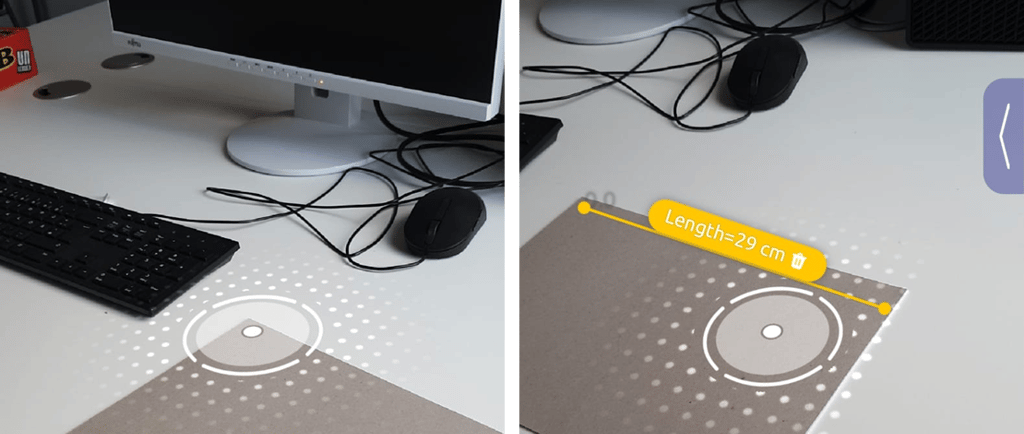
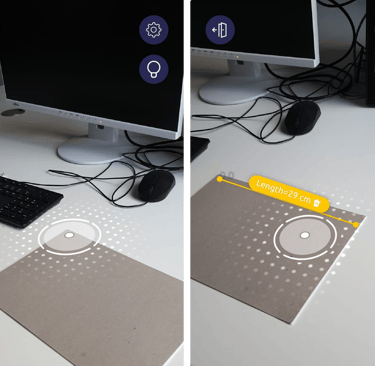
Well… instead of “The power of smartphone camera”, the title of this blog could be “The applications of a smartphone camera powered by computation”. Let’s explore how the camera-fed image on the phone display, combined with vision algorithms and other sensors, takes us to the world of Augmented Reality (AR).
Think of purchasing furniture online through IKEA online shop or Amazon. You can try a selected piece of furniture to place it virtually in your room and check how it looks and how much space it occupies in the room. You just turn on the AR feature in the App of the seller, it turns on the camera through which you can view the desired location of your room. And then the App places the piece of furniture virtually into the scene - exactly as it would look in reality.
Imagine another scenario. You want to measure something, but don’t have a measuring tape or ruler. You can use your smartphone empowered with an AR Measurement app like ARuler. It will give the measurements of the objects visible in the scene captured by the camera of your phone. And these features do not need a LIDAR or ToF sensor (available in modern smartphones) on your phone.
How do these AR apps work?
Let’s take the first example. To place a virtual chair properly in the real scene of your room, the system needs to analyse the space and dimensions visible in the scene through your camera. It needs to answer two questions:
Where is the camera? Or, where is the scene being captured from? - ‘Localization’
What does the world around the viewer (camera) look like? - ‘Mapping’
This is achieved with a technology called SLAM (Simultaneous Localization and Mapping). Here comes ‘Computer Vision’ into the play, which is the subfield of Artificial Intelligence for extracting meaningful information computationally from digital images or videos. In the present case, it extracts the geometry of the scene captured through the camera in real-time.
It detects some unique feature points on the image, e.g., a corner of the floor or the end point of a table. From those feature points, it tracks horizontal or vertical planes, even detects a plane which is tilted. It can detect different specific objects in the scene. And also determines the location of the camera and the depth or distance of the objects from the camera and their relative size.
But a single 2D image cannot provide depth (or 3D) information. For that, you need to move the phone slowly such that the scene can be viewed from different angles. It lets the system capture a number of images containing common items, but with slightly different sizes or orientation. Now the rest is done by the Computer Vision algorithms - matching those common items, the shift of the feature points from one frame to another, and solving the geometry.
Still it has one problem. - Scaling.
With the camera-only data, the vision algorithm has no information about the real size of the objects - whether a ball in the scene is a large Gym-Swissball or a small tennis ball. There was a time, when this Visual-only SLAM technology was useful - not only for fun applications like Pokémon Go, but also for some real scientific applications (we can discuss it in another blog).
But, for the scenarios we started with, like using the AR ruler or placing a virtual chair in your room, we need some additional sensors of the smartphone - the Inertial Measurement Unit (IMU), which includes the gyroscope and accelerometer.
When you are moving your camera for capturing the sequence of multiple frames of the scene, the gyroscope and the accelerometer measures the motion of the device. They capture the speed and the direction of the rotational motion and the lateral shift of the phone. This information is fed to the AR system in real-time. And the AR system fuses these motion data with the image data, to calculate the dimensions of the objects in the scene in real scale. Now it can give you an estimate whether the ball in the scene has the diameter of 50 cm or 5 cm.
Also in the IKEA online store, it can now show how an 80 cm high chair should look in your room - with real dimensional sense.
Contact
contact@rgbian.com
© 2025. All rights reserved.